
Go to Android platform Display platforms icon
Go to Android platform Go to Windows platform Go to Mac platform Go to iOS platform
Google Contacts icon

Google Contacts

4.91.20.1005370002
4.5 163 reviews
3.4 M downloads
security security

The official Google contacts app

Advertisement
Remove ads and more with Turbo
Advertisement
Remove ads and more with Turbo
Andrés López icon
Reviewed by
Andrés López
Content Editor
Andrés López is part of Uptodown's in-house Editorial Team. Translated by Uptodown Localization Team

Google Contacts is the official Google contacts management app, thanks to which you can back up and sync all your contacts comfortably and easily. If you always have your contacts synced, you can quickly import your address book to any new device. This way, you'll never lose a phone number or address again.

Save all your contacts in a single app

One of the most useful features of Google Contacts is that you can have all your contacts unified and synced directly with your Google account. Instead of saving this information to your device's memory, you'll save it directly to your account, giving you have the name, phone number, photo, email address, and even the birthday of any of your contacts. All this information is synced with your Google account, meaning that you'll never lose it, even if you change devices.

Advertisement
Remove ads and more with Turbo

Block numbers and use custom tones

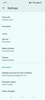
From Google Contacts, you can change and edit any phone numbers in your address book. This means that, among other things, you can block phone numbers. Blocking a number from this app will prevent its calls from reaching you. Additionally, you can also customize the ringtone of any of your contacts. You decide the sound you want for each of your friends and family members when they call.

Add as much information as you want to your contacts

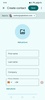
When you add a contact number to your address book, Google Contacts also allows you to enter a lot of other details. The most important thing, of course, is to enter a name and phone number. But you can also add an email or physical address, birthdays, and even personalized labels to make it easier for you to find later. You can add as much information as you want.

An excellent contact management app

Download the Google Contacts APK if you're looking for a good tool to manage your address book. Thanks to this app, you can have all your contacts well organized and synced, ensuring you never lose a phone number again. This is one of the most useful apps that you can have installed on your Android device.

Google Contacts is for you if

✓ You need your entire contact list safely synced with Google, accessible instantly on any device
✓ You value controlling who reaches you by blocking unwanted numbers and assigning custom ringtones
✓ You enjoy organizing contact profiles with emails, addresses, birthdays, and personalized labels for quick searches

Requirements (Latest version)

  • Android 12L or higher required

Information about Google Contacts 4.91.20.1005370002

Basic information

Developer Google LLC
Category Utilities
Rating +3
Languages English
29 more

Distribution model

Pricing Free
License Proprietary
Copyright © 2026 Google LLC
Why is this app published on Uptodown? (More information)

Security and privacy

Required permissions
See 39 permissions
Certificate signature 85d092b979381444e6072e1356b9595e,2453566fa3eddce8f18cabe9c466c3ba
See security and antivirus report

Download info

Downloads 3,411,881
Date Nov 11, 2026
File type XAPK
Size 14.15 MB
SHA256 e4b87f0bd0337c65910b036c9fc6c286c81704aefc9adac1d7adcb8ef0649d0c

Technical details

Package Name com.google.android.contacts
Advertisement
Remove ads and more with Turbo

Older versions

See more
xapk 4.90.16.1002738991 Android + 12L Nov 8, 2026
xapk 4.90.16.998876676 Android + 10 Nov 9, 2026
xapk 4.89.27.994662816 Android + 10 Oct 21, 2026
xapk 4.89.27.989965096 Android + 10 Oct 21, 2026
xapk 4.88.28.985580658 Android + 10 Oct 9, 2026
xapk 4.88.28.981523105 Android + 10 Oct 20, 2026

Rate this App

Review the app
Google Contacts icon

Rating

4.5
5
4
3
2
1
163 reviews

Comments

See more
amazingorangeelephant54266 icon
amazingorangeelephant54266
10 months ago

Excellent

2
Reply
fastgoldenlemon52538 icon
fastgoldenlemon52538
11 months ago

Excellent

2
Reply
engoday icon
engoday
12 months ago

Great and easy

3
Reply
glamorousgoldensquirrel77019 icon
glamorousgoldensquirrel77019
in 2025

Beautiful

3
Reply
freshwhitegrape96735 icon
freshwhitegrape96735
in 2025

I like Google Contacts

5
1
fancybrownparrot94302 icon
fancybrownparrot94302
in 2024

Excellent

3
Reply
See more
Advertisement
Remove ads and more with Turbo
JusTalk icon
A video conference app for group calls with friends or colleagues
Free Conference Call icon
Make video calls from your Android
Jami icon
Make secure phone and video calls
Skype Lite icon
A featherweight version of Skype
Skype Insider icon
Test the latest changes to Skype before everyone else
TrueConf icon
Free video conferences and calls!
Apktool M icon
Edit any APK directly on Android
Truecaller: Caller ID & Spam Call Blocker icon
Find out who is calling you and block spam
Zangi Messenger icon
A secure and lightweight messaging app
Discord icon
A special communication tool for gamers
WeChat icon
Another way to communicate with friends and loved ones
Telegram Beta icon
Try Telegram's new features before anyone else
Tango icon
A huge live stream social media platform
Airmeet icon
Virtual events platform for seamless networking and attendee engagement
Jami icon
Make secure phone and video calls
The Messenger for Messages icon
All messaging applications on a single platform
Telegram icon
Fast, secure, cross-platform messaging app
Instagram icon
The king of mobile photography, now on Android
WhatsApp Messenger icon
The easiest and most convenient way to chat with your friends
X (Twitter) icon
Enjoy the world's most concise social media platform
InstaPro3 icon
Modified version of Instagram with extra features and no ads
Snapchat icon
Share your day using pictures
Facebook icon
The social network par excellence on your Android
WhatsApp Business icon
Manage your verified business account